Meet the SharePoint Consultant Who Built SPO Scout
SPO Scout was built by Billy Peralta, a Vancouver SharePoint and Microsoft 365 consultant with 16+ years in migrations, permissions and Microsoft 365 security.
Who built SPO Scout
SPO Scout is a browser extension for SharePoint Online admins. We wanted it to answer the questions admins are actually asked: who has access to this site, which folders and files have their own permissions, and what one person can reach. So we hired a developer who has spent years answering those questions in real tenants.
Billy Peralta is an independent SharePoint and Microsoft 365 consultant based in Vancouver, British Columbia. He has more than 16 years of SharePoint experience, from on-premises farms to SharePoint Online and Microsoft 365, and holds the Microsoft Certified: Cybersecurity Architect Expert and Microsoft 365 Administrator Expert certifications.
NATHELVO TECHNOLOGIES INC., which owns SPO Scout, hired Billy to develop the extension. He built its features, from the Permissions Report to Edit Metadata, and brought his experience with SharePoint migrations, permissions and Microsoft 365 security to the work.
What that experience looks like in the product
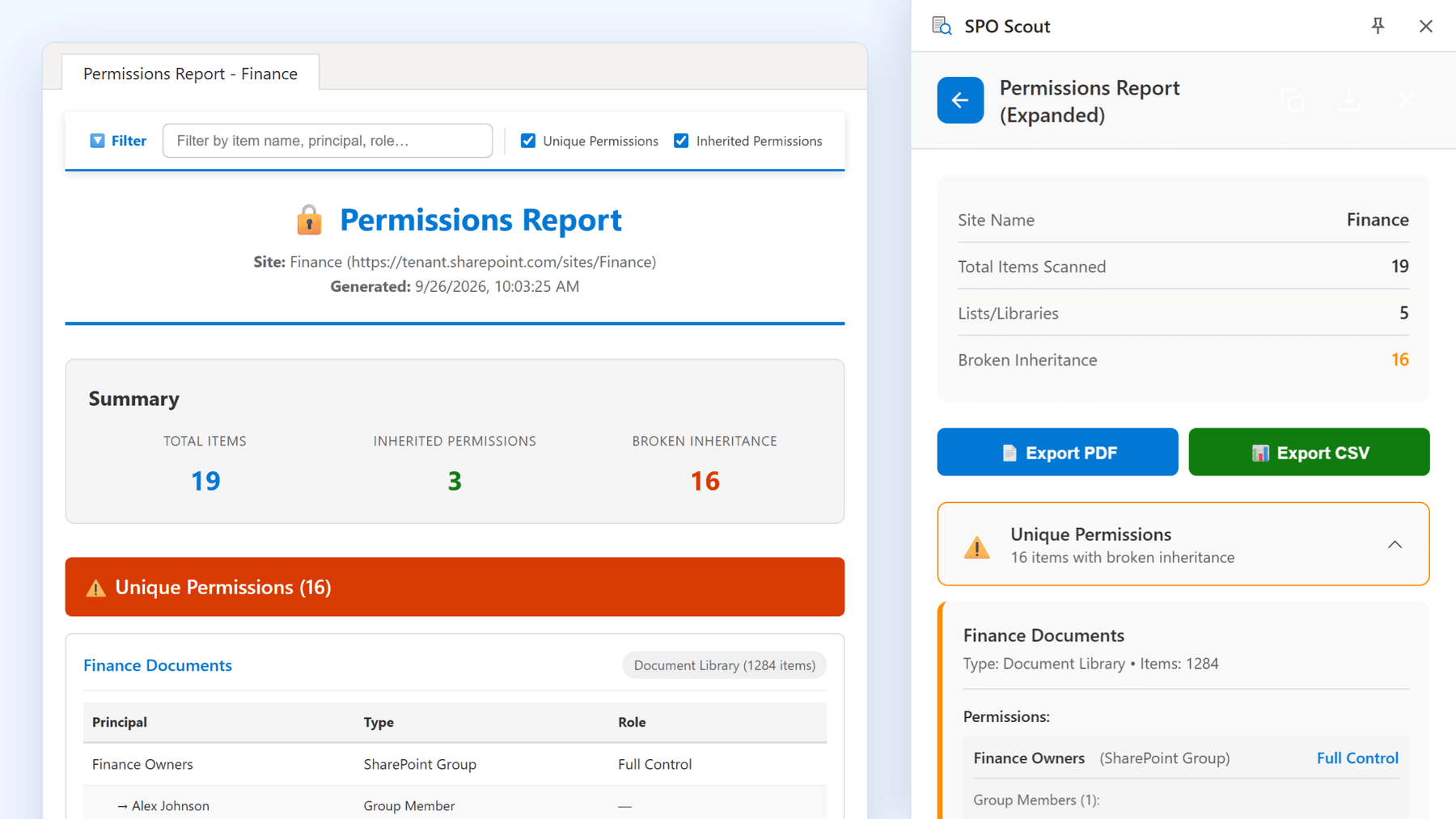
Permissions cleanup. A permissions review starts with identifying libraries, lists, folders and files that have unique permissions. The free Permissions Report checks the current site's visible document libraries and custom lists, including their folders, files and items, and lists those with unique permissions, showing assigned users, groups and permission levels. If a list or library couldn't be fully checked, the report names it. It also counts items whose permissions and SharePoint groups whose members couldn't be read. For a deeper comparison of approaches, see Billy's guide to auditing SharePoint permissions using native tools, PowerShell and SPO Scout.
One person's access. The User Permissions Report shows a person's direct permissions and the SharePoint groups that give them access, on the site and its libraries and lists. It doesn't check individual folders or files; the Permissions Report covers those.
Migrations. Billy plans and delivers file-share, SharePoint Server and tenant-to-tenant migrations. After a migration, metadata often needs fixing without making years of documents look as if they were edited today. Edit Metadata (Pro) sets column values on one item or on items within a folder or an entire library, without changing Modified, Modified By or the version number.
Identity and app access. Billy builds Microsoft Graph integrations that work with SharePoint and Microsoft Entra ID, and reviews app access as part of Microsoft 365 security work. Anyone who has reviewed app registrations in Entra ID knows why admins hesitate before granting a new app consent. SPO Scout needs none: there is no app registration and no admin consent. It works with your own SharePoint sign-in and permissions, and SharePoint content is read in your browser, not sent to SPO Scout's servers. The security page sets out how it handles your data.
Try it
SPO Scout works in Chrome and Edge. The Free plan includes 3 analyses a day, with no time limit. Pro adds SharePoint group members in the Permissions Report, PDF and CSV export, and the Pro tools such as Edit Metadata. See Free and Pro for the details.
SharePoint work beyond the tool
SPO Scout reports on, and fixes, what one admin can reach from a browser tab. Some work needs more than that: a migration, a permissions cleanup across many sites, a Microsoft 365 security review, or a custom SPFx or Microsoft Graph solution.
Billy takes on that kind of work as an independent consultant, separately from SPO Scout. You can explore Billy's SharePoint migration, permissions, Microsoft 365 security and development services, read his case studies, or contact him through his SharePoint and Microsoft 365 consulting website.
Related guides
- How to Find Unique Permissions in SharePoint Online →
Find the libraries, lists, folders and files with unique permissions in a SharePoint site, and who has access to each, in one SPO Scout report.
- How to Check What a User Can Access in SharePoint →
SPO Scout's free User Permissions Report shows, in one search, what a person is granted directly or through SharePoint groups on a site and its lists.
- How to Update SharePoint Metadata Without Changing Modified By or Adding a Version →
SharePoint's edit forms stamp you as Modified By and add a version. SPO Scout's Edit Metadata sets column values and keeps Modified, Modified By and the version.